2TB · $399 · $70 less than Samsung T7

2TB premium SSD with
NFC unlock built in.

1050 MB/s. CNC aluminum chassis. AES-256 hardware encryption.
Same security trusted by banks — now in your pocket.
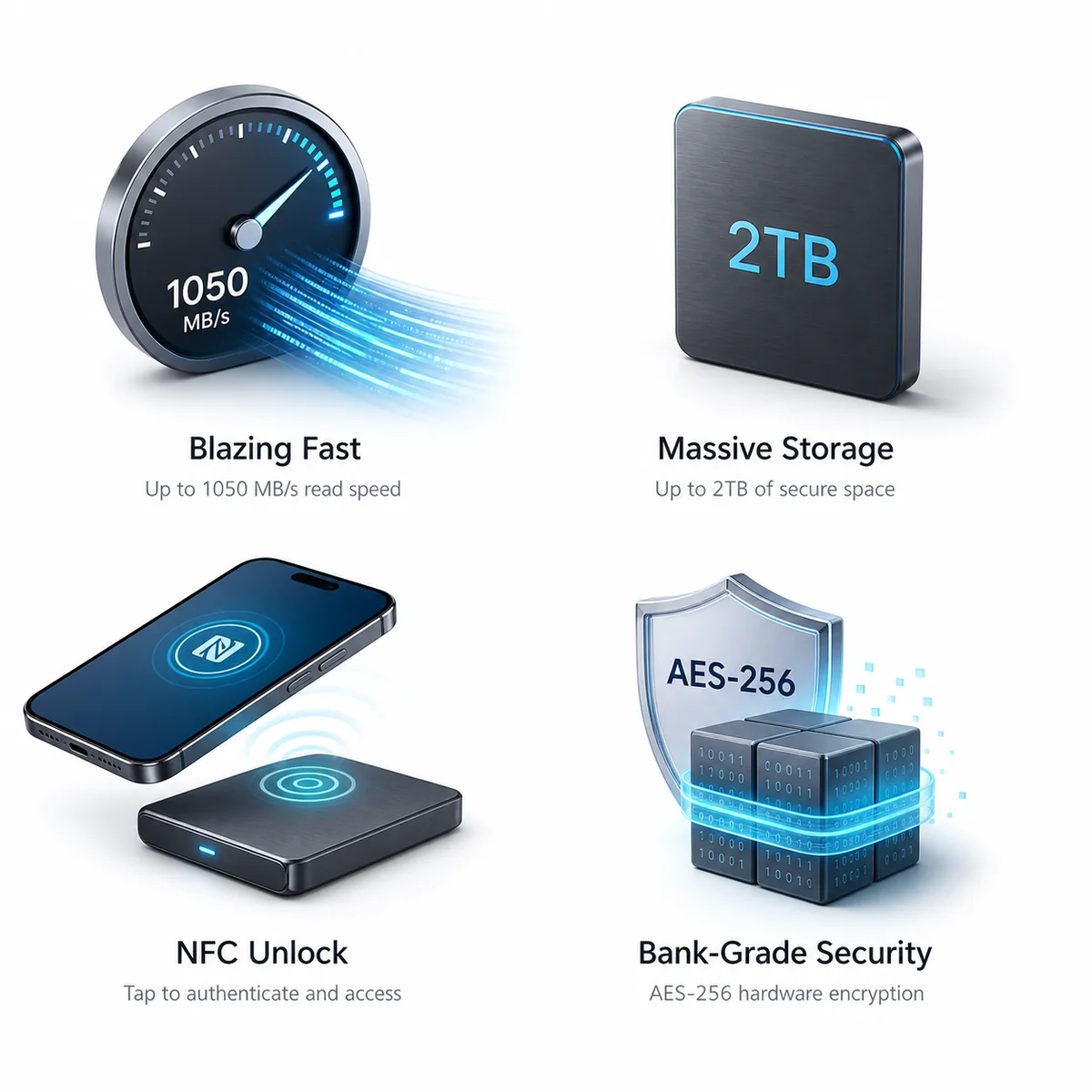
1050 MB/s Read
2TB Capacity
NFC Unlock
AES-256 Encryption
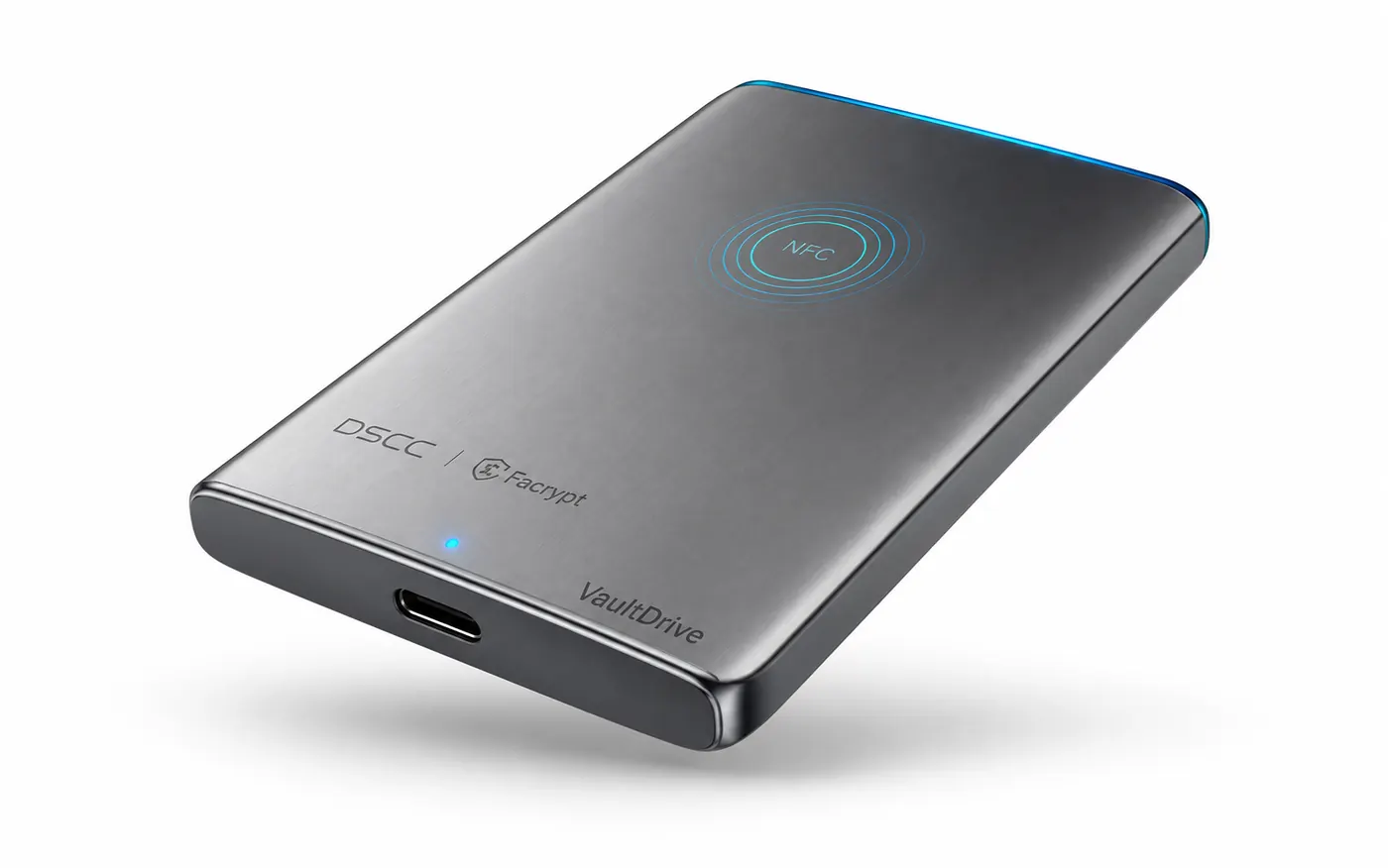
VaultDrive space gray portable SSD with NFC unlock zone and USB-C port VaultDrive — 2TB Premium SSD with NFC Unlock · Space Gray aluminum DSCC 数安 VaultDrive 2TB · AES-256 · NFC UNLOCK NFC 感应区 MODEL VD-2TB · DSCC.CN
Engineered and guaranteed
VaultDrive key benefits: speed, storage, NFC unlock, and AES-256 security

What happens when your
encrypted drive is stolen?

If the key lives inside the device, the drive is only as secure as the device. Forensic tools, supply-chain attacks, and coerced disclosure all exploit the same fundamental flaw — something is stored somewhere.

$4.88M
Average cost of a data breach in 2024 — and rising every year.

Credential theft is the #1 attack vector. When your password database, key file, or biometric template leaks, the damage is permanent.

You can change a password. You cannot change your face.

— IBM Cost of a Data Breach Report 2024

Software encryption stores the key somewhere. Whether in the operating system, on a hidden partition, or derived from a passphrase — if it exists, it can be found. BitLocker keys have been extracted from RAM. TPM secrets have been side-channel attacked. Password-protected drives have been forensically unlocked.

Biometric systems store templates. When Capital One, LastPass, or 23andMe suffered breaches, the stolen data remained useful to attackers forever. Your fingerprint is not a secret. Your face, once digitized and stored, is no different.

Every other secure drive on the market asks the same question: "Where should we put the key?" VaultDrive asks: "What if the key doesn't have to exist?"
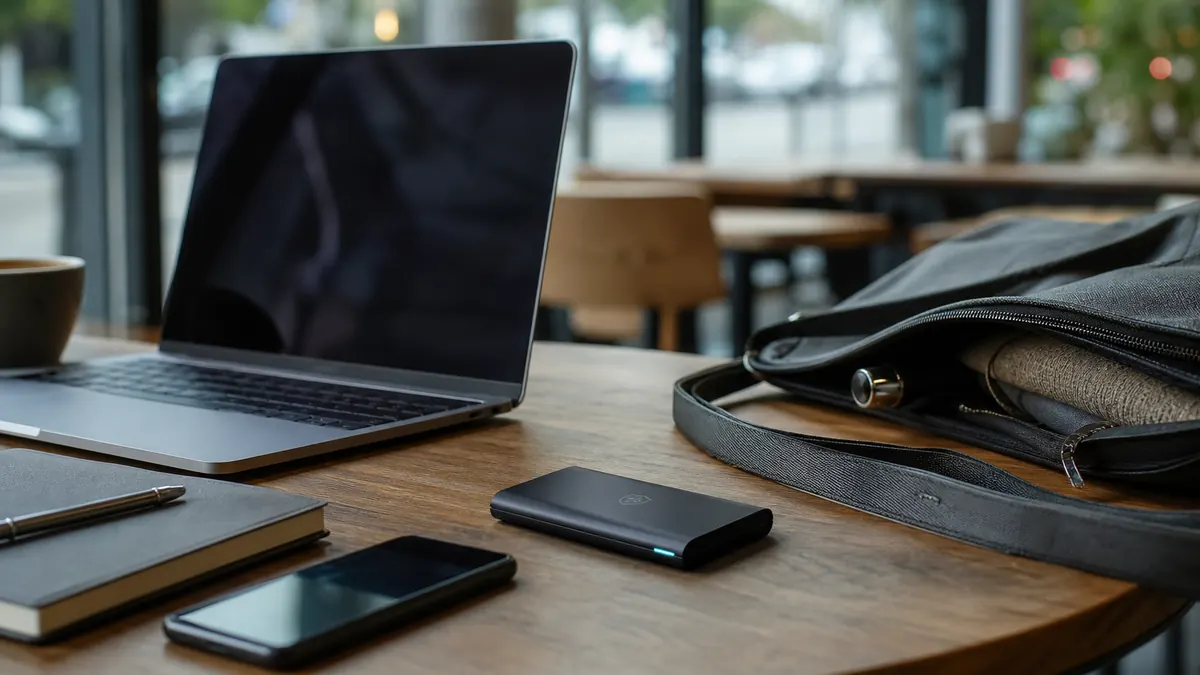
A misplaced encrypted portable SSD near a laptop and work bag in a cafe
Our Breakthrough

Your face. Your key. Your data.

VaultDrive's AES-256 unlock credential is bound to you — verified in real time on your phone, never written to storage. It exists for the moment of authentication, then ceases to exist. Nothing is stored. Nothing can be stolen.
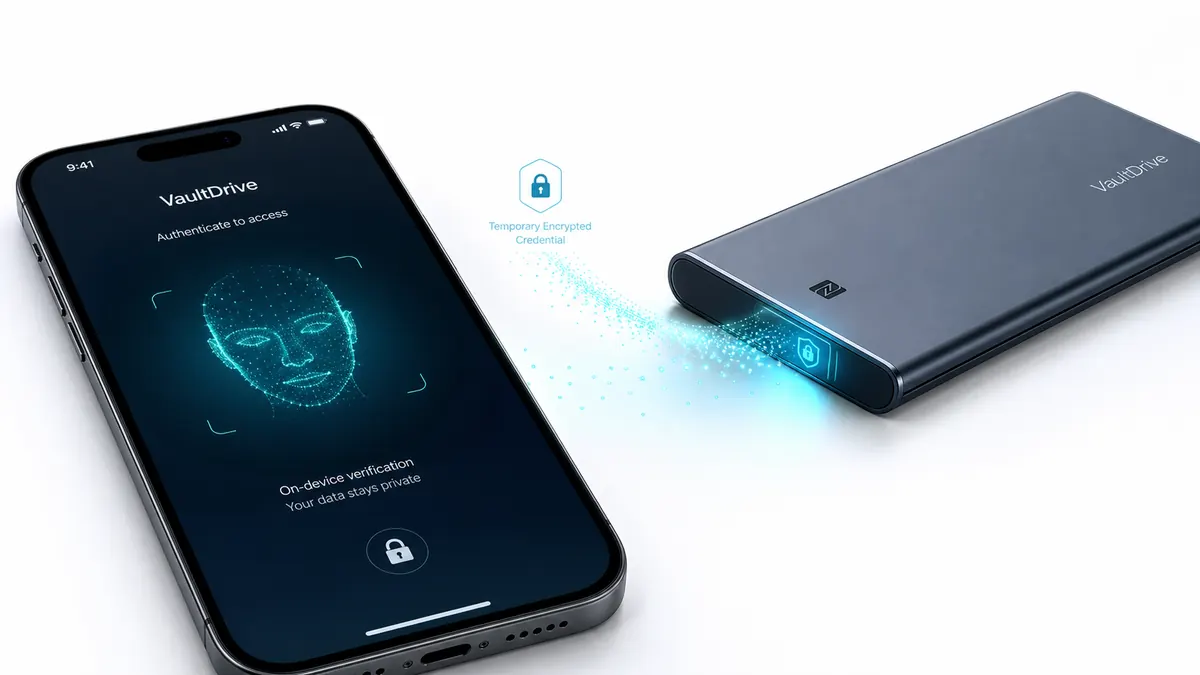
Phone-based face authentication sends a temporary encrypted credential to VaultDrive
How It Works

Three steps. Zero stored keys.

Face-to-unlock is not facial recognition. It's cryptographic authentication with zero stored secrets. Here's the difference.
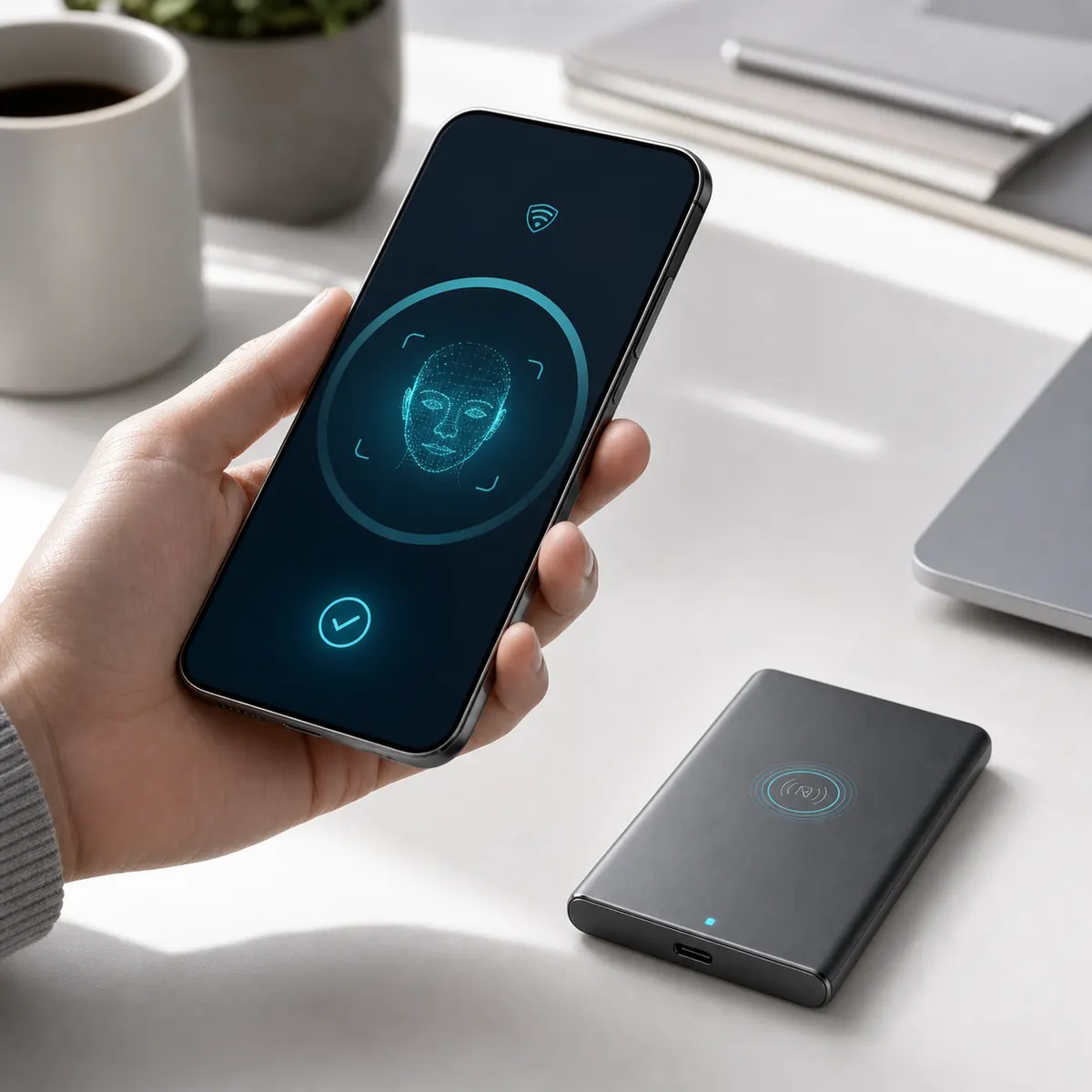
STEP 01
A phone verifies the user locally before unlocking VaultDrive

Look at your phone.

Open the Facrypt app. In under one second, your phone verifies it's really you — entirely on-device. The raw image is discarded immediately; nothing is stored.

On-device · Offline
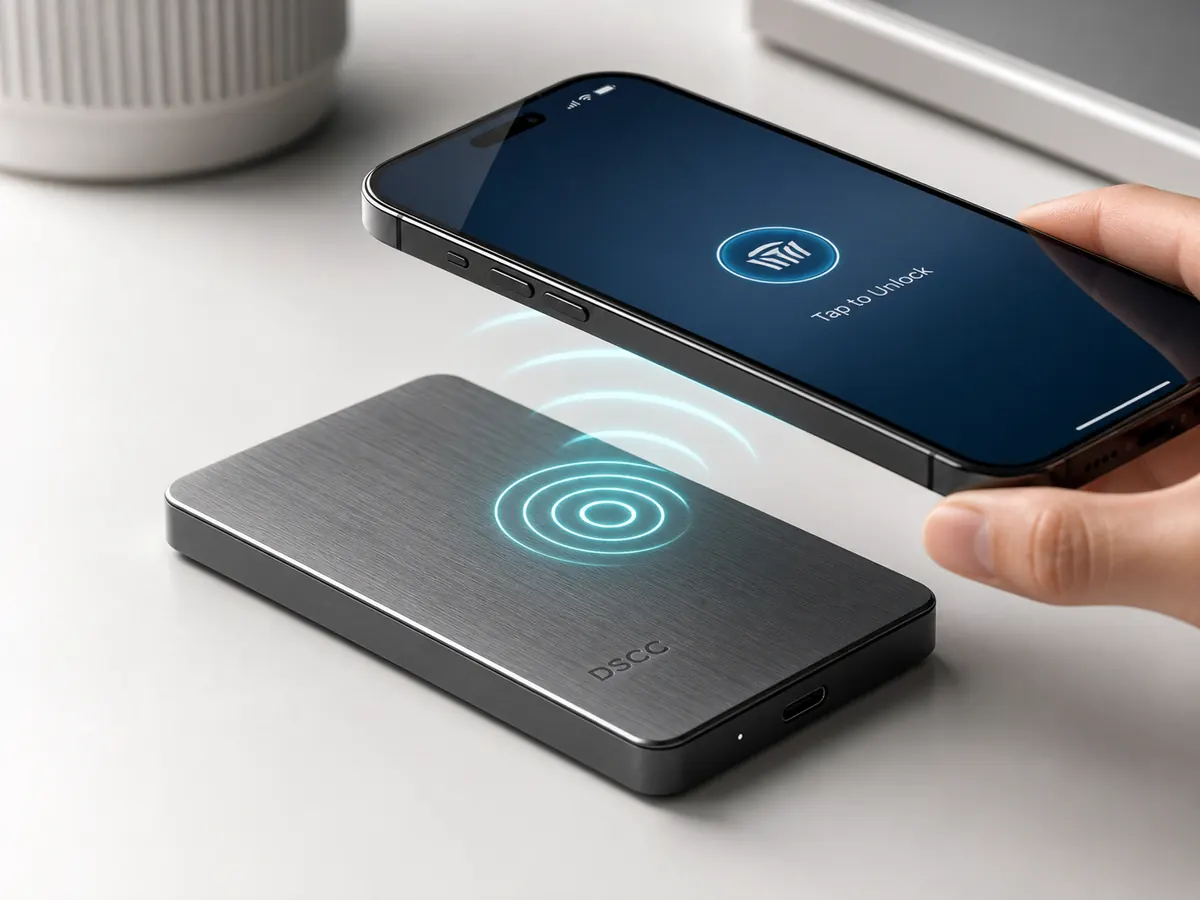
STEP 02
A phone taps the VaultDrive NFC zone to unlock the SSD

Tap to unlock.

Hold your phone near VaultDrive. Your one-time unlock credential transfers via NFC into the drive's hardware security chip — air-gapped, encrypted, in under 100ms.

NFC · 100ms
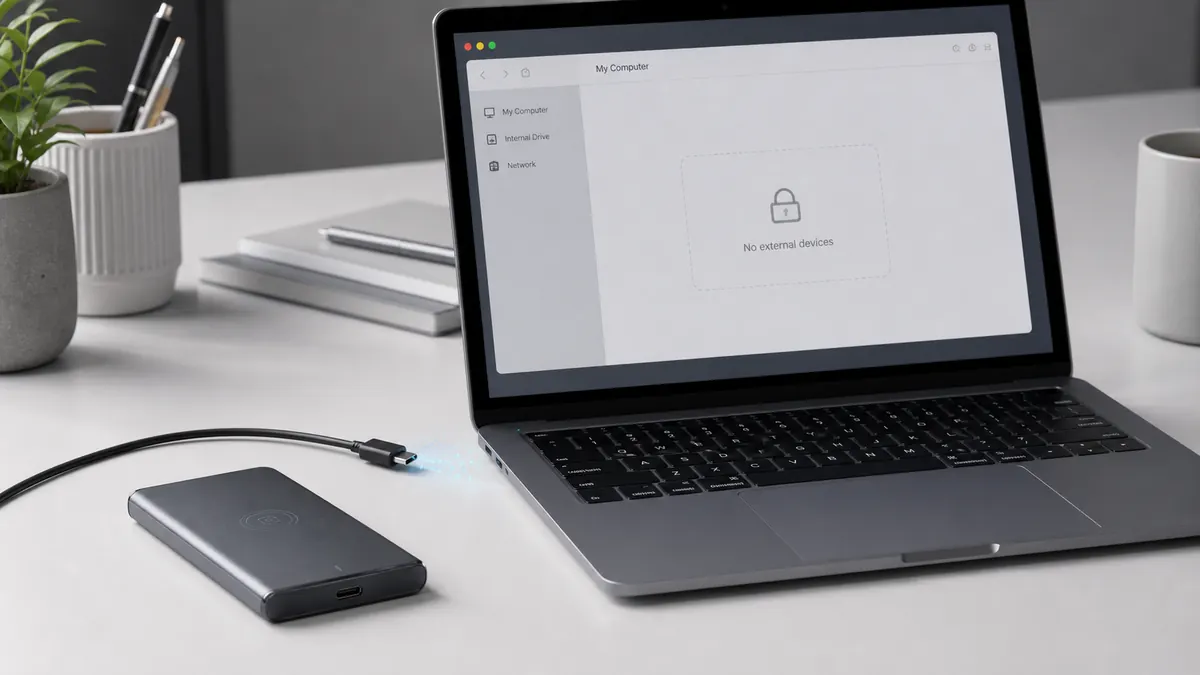
STEP 03
VaultDrive locks again when disconnected from a laptop

Use it. Then it's gone.

Plug into any computer at full USB 3.2 speeds. When you disconnect, the key is destroyed — not wiped, not archived. Mathematically erased.

Any OS · No drivers

Tap your phone. The drive opens.

Hold an NFC-capable phone near the drive. No fingerprint scan. No password to type. Authentication happens in under two seconds — but only for the face that owns this drive.
Phone hovering above VaultDrive while NFC waves unlock the drive Phone tapping VaultDrive's NFC zone for one-touch unlock Unlocking VAULTDRIVE NFC VaultDrive 2TB · DSCC
No fingerprint. No password.
Just hold your phone near the drive. The Facrypt app handshakes with the drive's NFC chip, verifies it's really you, and unlocks. The whole thing finishes in under 2 seconds.
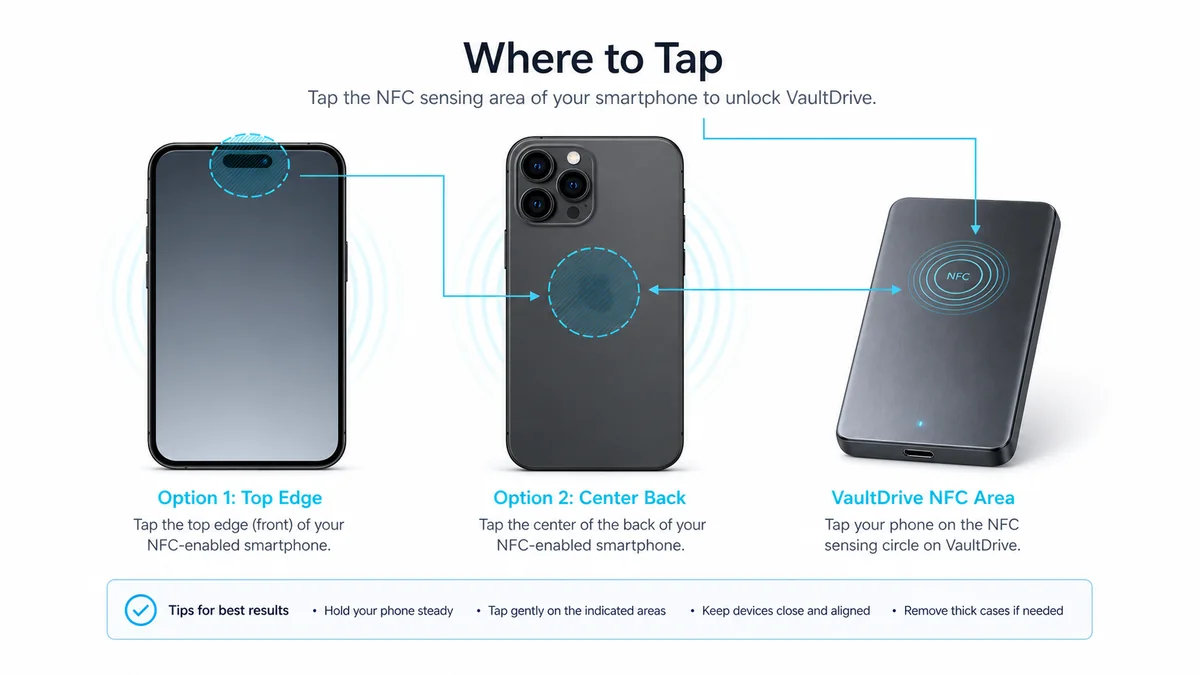
Where to tap
Different phones have NFC antennas in different places. Hold the marked area near the drive's NFC zone for a reliable handshake.
iPhone · top edge
Android · center
NFC tap position guide for phones and VaultDrive
First time vs every time
First setup: enroll your face in the Facrypt app and pair it to the drive (one-time, ~30 seconds). After that: every unlock is just a tap, no passwords ever.
Requires NFC-enabled phone · Facrypt app for iOS 15+ / Android 10+ · Works offline

Engineered for everyday invisibility.

2TB of encrypted storage. The size of a credit card. The security of a bank vault.
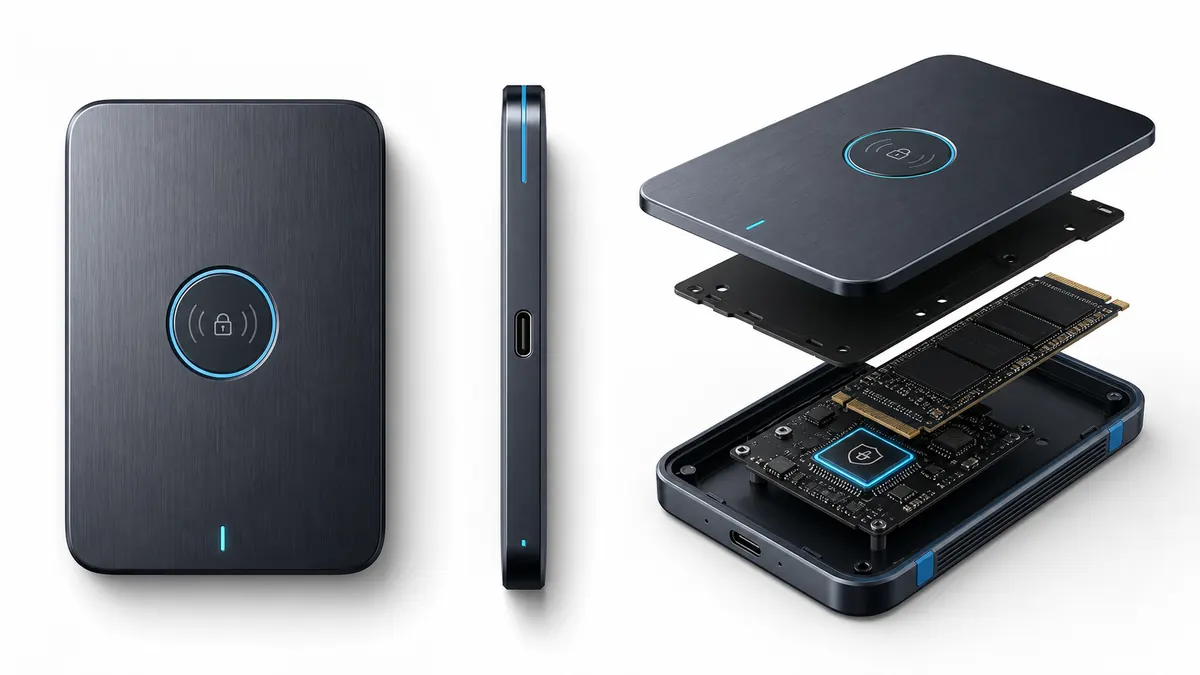
VaultDrive top face, side profile, and exploded internal hardware view
VaultDrive top face with NFC authentication zone
Top Face

NFC authentication zone

Hold your phone here. One second. The drive unlocks. No buttons, no ports, no passwords.
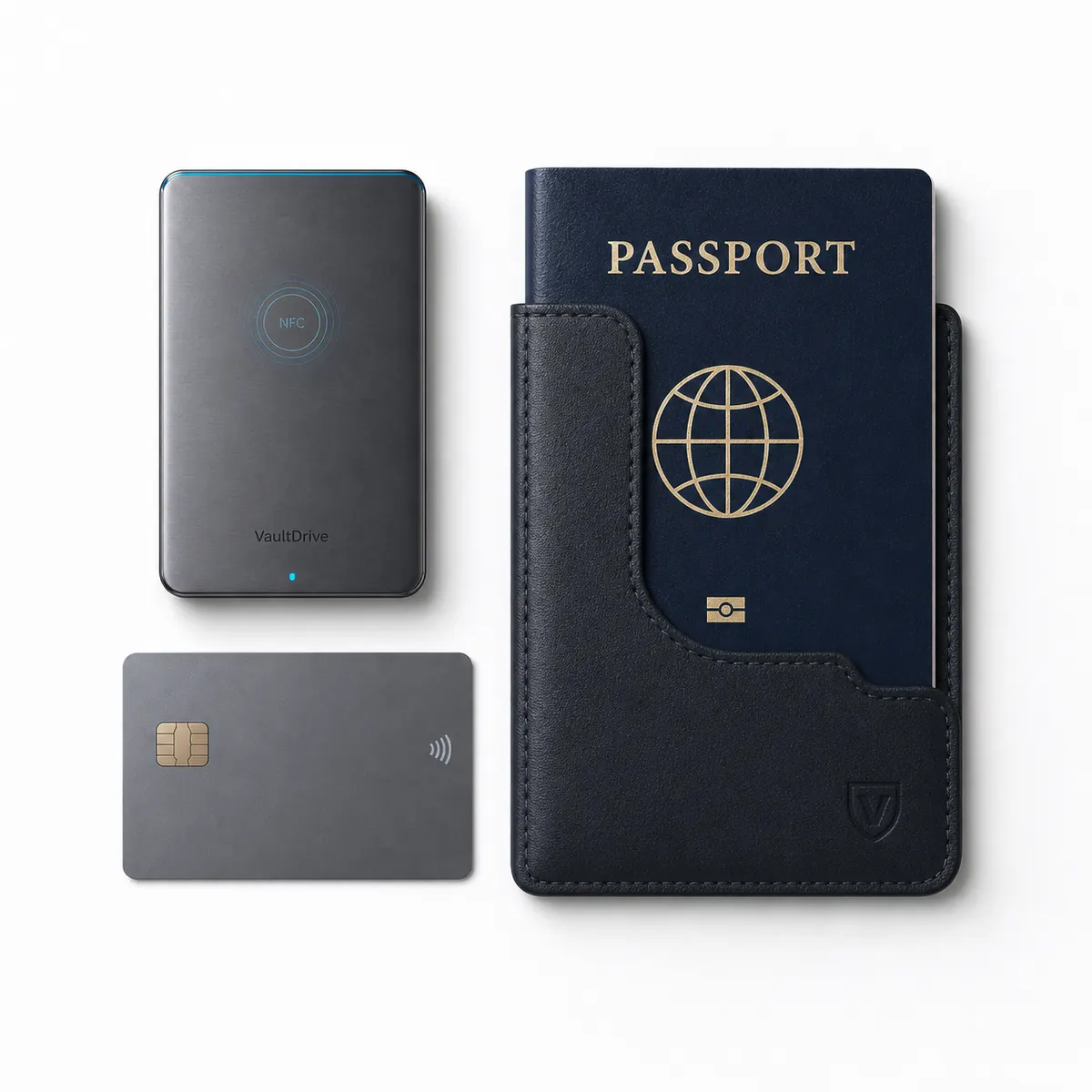
VaultDrive shown next to a card and passport sleeve for size comparison
Side Profile

USB-C 3.2 · 10mm thin

Works on every computer you own. Fits in the palm of your hand, or the coin pocket of your jeans.
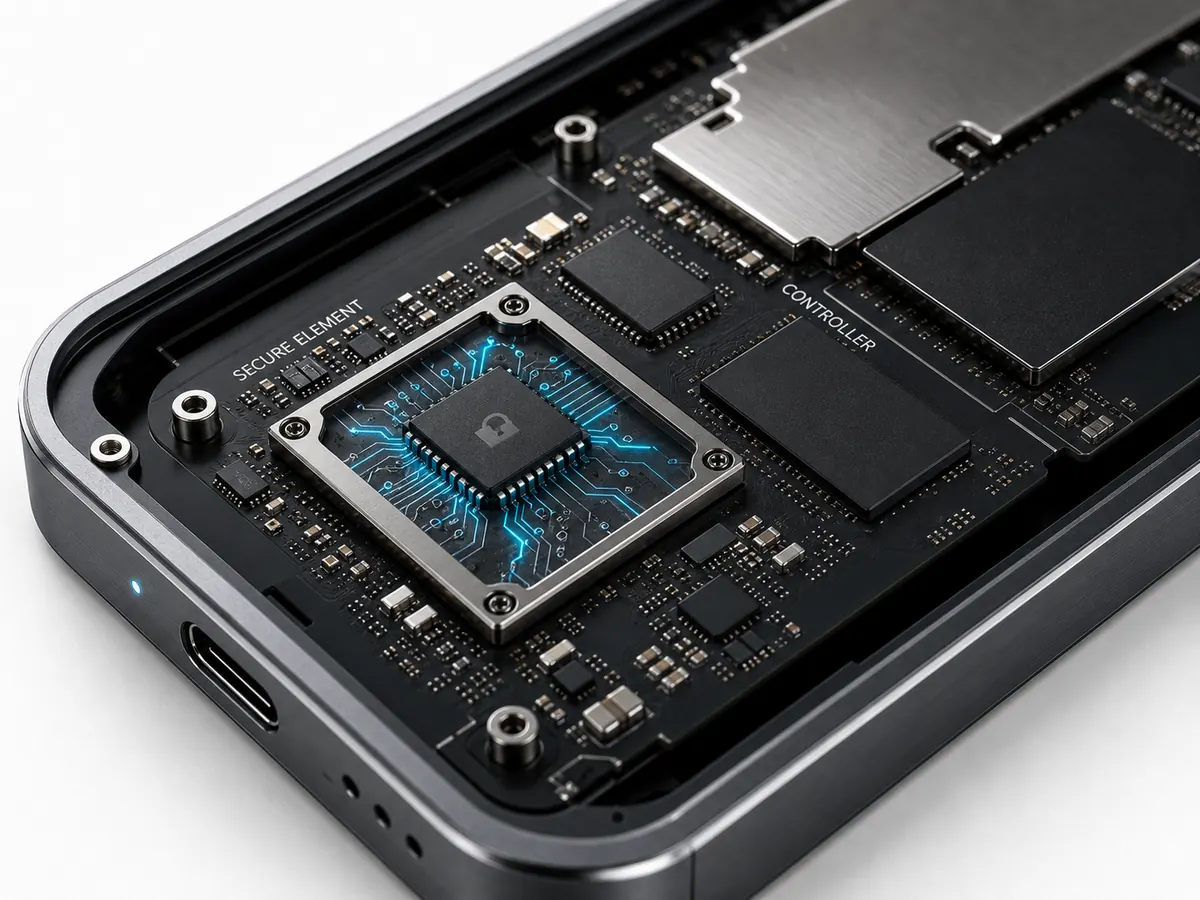
VaultDrive secure element chip inside the encrypted SSD
Inside

Dedicated security element

AES-256 encryption happens in a physically isolated hardware chip. Software-level attacks cannot reach it.

Built for when things go wrong.

Every scenario below is why VaultDrive exists. Swipe through them.

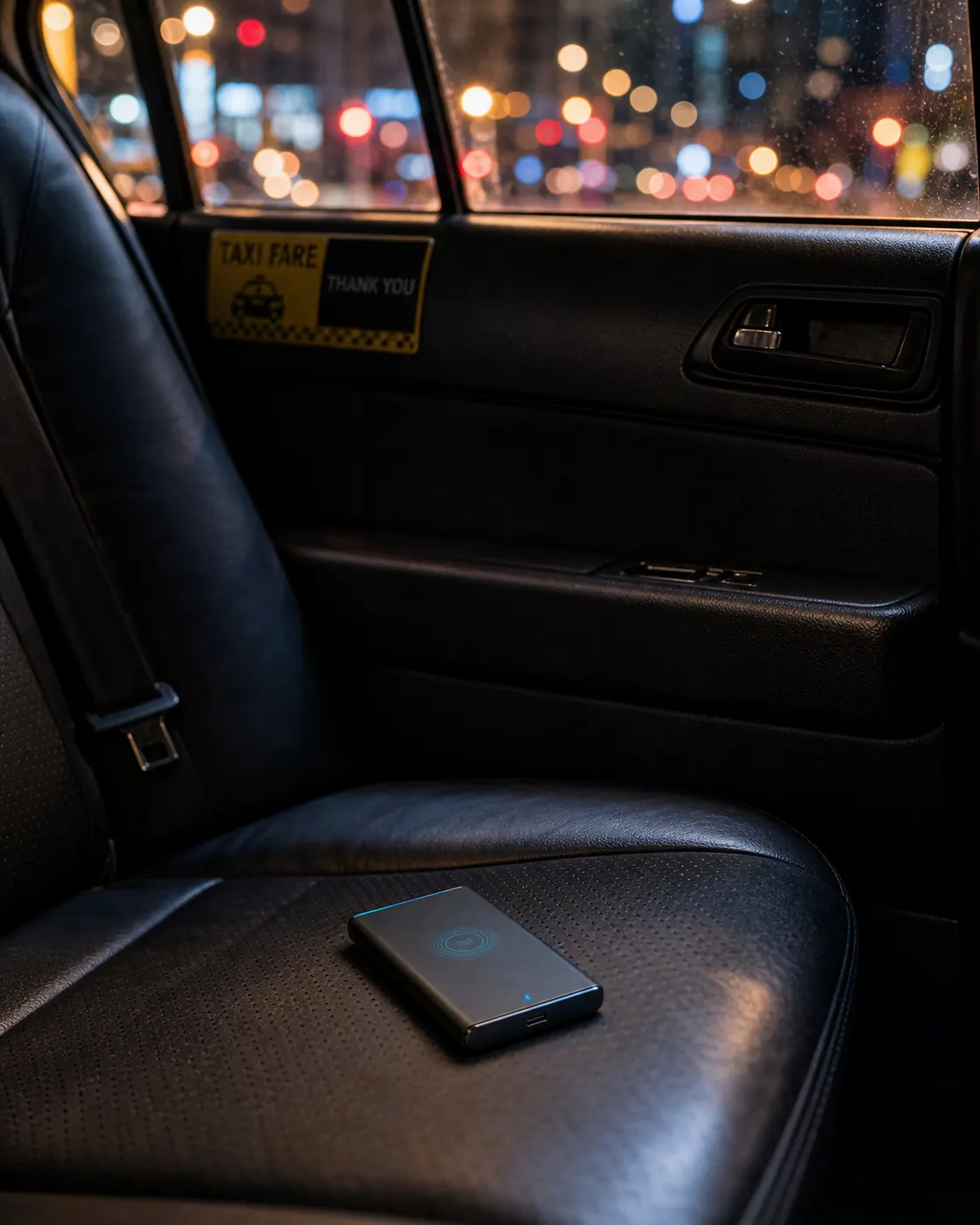
VaultDrive left on a taxi seat
Left in a taxi

The computer doesn't recognize it.

Anyone who plugs it in sees a drive with no filesystem, no data, nothing recoverable. Just encrypted noise.
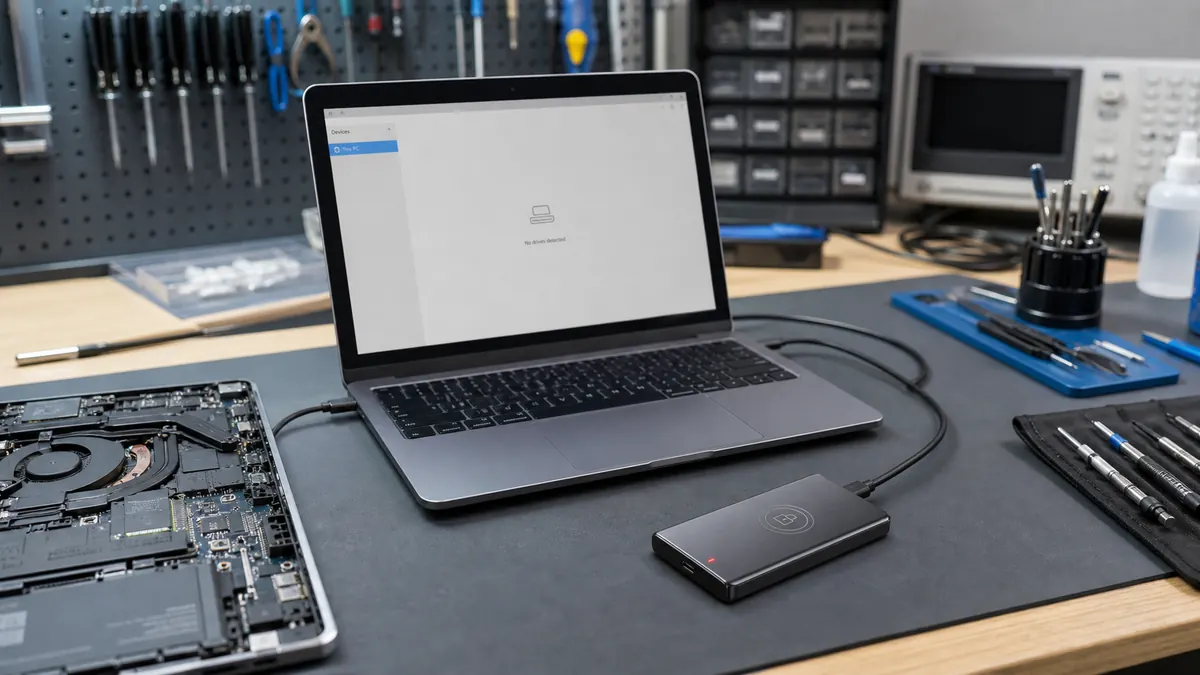
VaultDrive connected at a laptop repair desk
Sent in for laptop repair

Technicians see an encrypted box.

Repair shops routinely copy drive contents. VaultDrive gives them nothing to copy — encryption is chip-level.
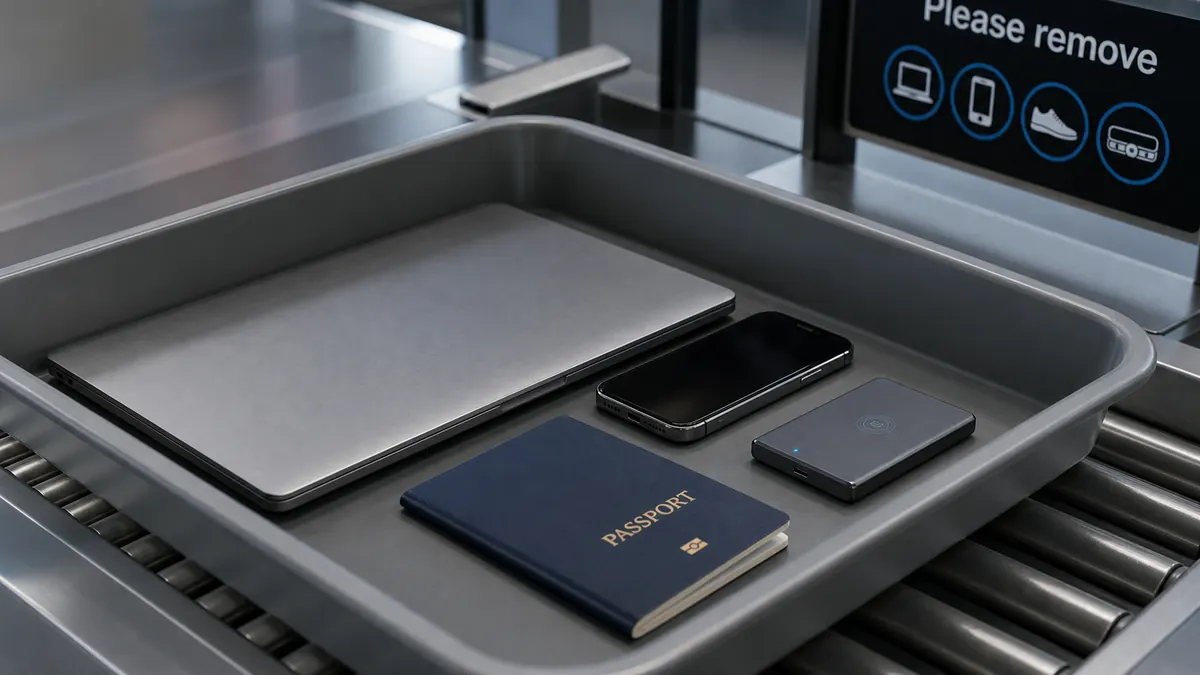
VaultDrive in an airport security tray
Border inspection

There is no key to hand over.

In 21 countries, agents can legally demand device access. If the key doesn't exist, compliance is technically impossible.

☁️
Cloud service breach

Attackers find nothing useful.

Facrypt stores no biometric templates on any server. A full breach yields zero usable credentials.

🏨
Forgotten in a hotel

Housekeeping finds a paperweight.

Without your face, the drive is an inert aluminum rectangle. That's all it becomes.

♻️
Selling or recycling

Revoke once. Sealed forever.

No factory reset required. Revoke face enrollment in the app — the data becomes mathematically unreachable.

Less than Samsung T7. More than encrypted.

Real specs, real prices. Compare VaultDrive 2TB to the best-selling portable SSDs on Amazon today.

Feature
Samsung T7 Best-selling 2TB portable SSD
Lexar TouchLock NFC-encrypted SSD · 1TB
VaultDrive 2TB NFC + AES-256 + CNC Aluminum
Capacity
2 TB
1 TB max!
2 TB
Price
$469
$189 (1TB)
$399
Read speed
1050 MB/s
450 MB/s
1050 MB/s
Chassis
Aluminum
Plastic
CNC aluminum
Encryption
AES-256 (password)
AES-128!
AES-256 + person-bound key
Unlock method
Password
NFC + paired phone
NFC + face / password
Where the key lives
On drive chip
Stored on phone!
Nowhere — nothing stored
If the unlock device is lost
Recover with password
Drive bricks without recovery key
Re-enroll any face
USB interface
USB 3.2 Gen 2
USB 3.2 Gen 1
USB 3.2 Gen 2
OS support
Win / macOS / Android
Win / macOS / Linux / iOS / Android
Every major OS
Samsung T7 2TB
Best-selling 2TB portable SSD
Price$469
Speed1050 MB/s
ChassisAluminum
EncryptionAES-256 (password)
UnlockPassword
Lexar TouchLock 1TB
NFC-encrypted SSD
Price$189
Speed450 MB/s
ChassisPlastic
EncryptionAES-128
UnlockNFC + paired phone
VaultDrive 2TB
NFC + AES-256 + CNC Aluminum
Price$399 ($70 less)
Speed1050 MB/s
ChassisCNC aluminum
EncryptionAES-256 + person-bound
UnlockNFC + face / password
Key locationNowhere — nothing stored

If it's not unlocked, it doesn't exist.

Plug a locked VaultDrive into any computer. Nothing happens. No drive icon. No mount prompt. Forensic tools see USB power draw and a controller that refuses to identify. Even the operating system can't tell what's connected.
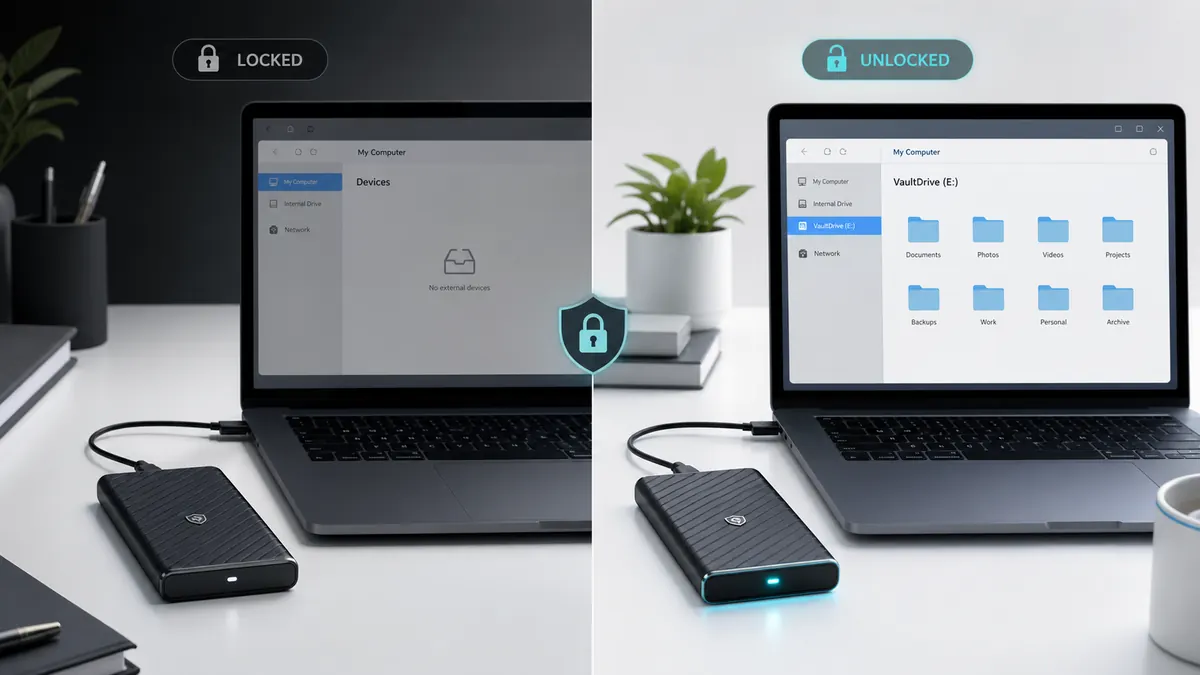
Locked VaultDrive does not mount, unlocked VaultDrive appears as a normal external volume
CONNECTED · LOCKED
Locked VaultDrive — does not appear in file manager Finder — Devices FAVORITES 📁 Documents 📁 Downloads 📁 Desktop DEVICES 💻 Macintosh HD — NOTHING — No drive detected Connect a USB device to view files VaultDrive

Computer sees: USB power draw, no identification. Forensic tools see: refuses to enumerate. Brute-force the chip and you'll find AES-256 ciphertext that would take longer than the universe's age to break.

UNLOCKED · MOUNTED
Unlocked VaultDrive — appears as a normal volume Finder — VaultDrive FAVORITES 📁 Documents 📁 Downloads 📁 Desktop DEVICES 💻 Macintosh HD 🔐 VaultDrive 📁 Work 📁 Photos 📁 Archive 📄 Notes.md VaultDrive

Once unlocked, VaultDrive mounts as a standard USB volume — read, write, copy, drag-and-drop, just like any drive. Disconnect the phone or unplug the cable, and it disappears again. Instantly.

Auto-lock on disconnect
Pull the cable, walk away from the laptop, or unpair your phone — drive locks instantly. Zero residual access window.
Tamper-proof at silicon level
Even if attackers desolder the NAND chips and read them on a forensic rig, they get only AES-256 ciphertext. The decryption key never existed in storage.
Inactivity timeout
Configurable: 1 / 5 / 15 minutes of no activity, drive auto-locks even while still plugged in. Safe to step away from your desk.

Pick your shell. The security stays the same.

Precision CNC aluminum chassis. Laser-etched DSCC branding. Same $399.
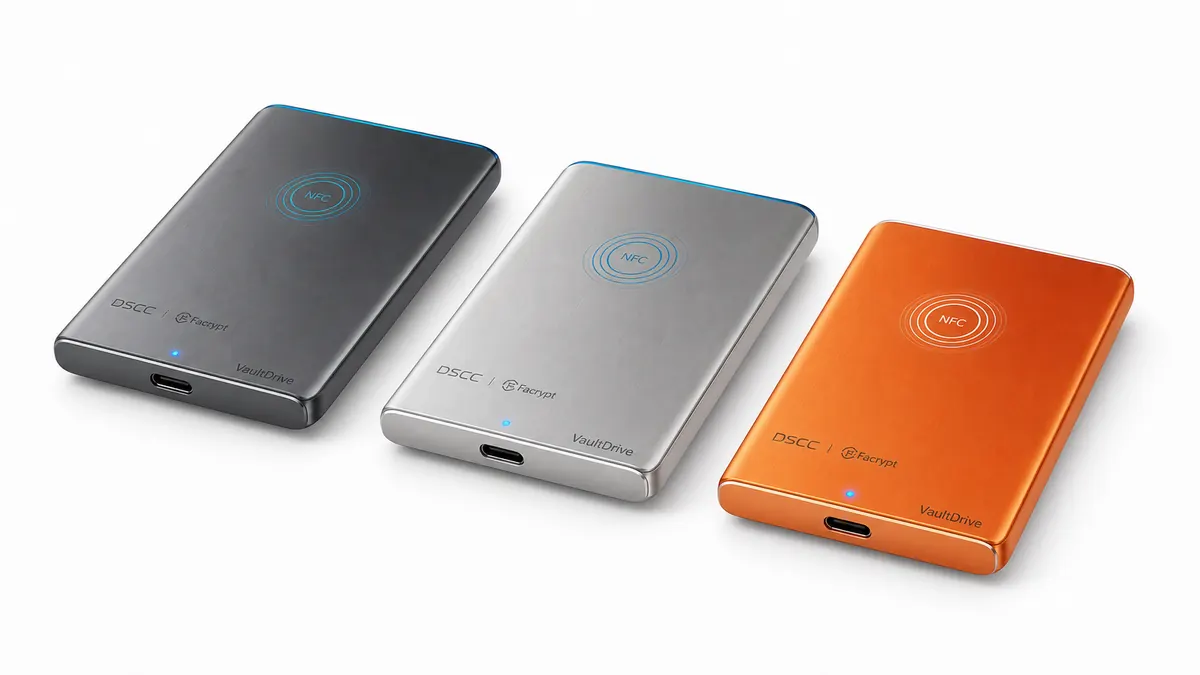
VaultDrive in space gray, titanium silver, and Facrypt orange
DSCC 数安 VaultDrive 2TB · AES-256
CHASSIS FINISH
Space Gray Classic

The size of a phone. The security of a bank vault.

Slip it in your pocket. Connect to any computer. Unlock in two seconds. That's it.
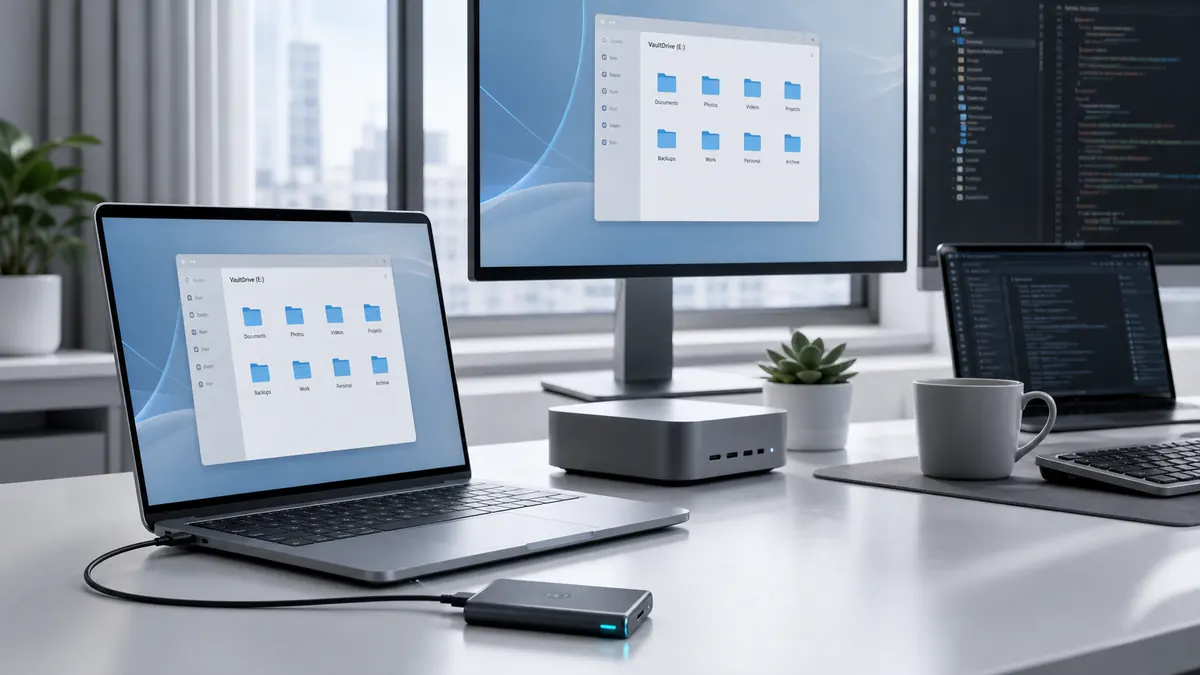
VaultDrive connected in a cross-platform workstation DSCC UNLOCKED · READY
Scenario 01 · Pro Workflow

Works with every Mac, PC, and Linux box.

No drivers. No installers. No cloud login. Plug it in, tap your phone, keep working. Full USB 3.2 Gen 2 speed — up to 1050 MB/s read.

VaultDrive size compared with a card and passport sleeve CREDIT CARD DSCC VaultDrive 85mm · same as card
Scenario 02 · Pocket-Size

Same size as a credit card. 64 grams.

Fits in a passport sleeve, coin pocket, or laptop bag. You won't remember it's there — until you need it.

Phone tapping VaultDrive for NFC unlock VERIFIED ✓
Scenario 03 · Quick Unlock

Tap with your phone. That's it.

Under 2 seconds from face scan to unlocked drive.

VaultDrive in an airport security tray with travel essentials PASSPORT VaultDrive ✈ BORDER-READY
Scenario 04 · Travel

Crosses borders without compromise.

No key exists to surrender. No password to coerce.
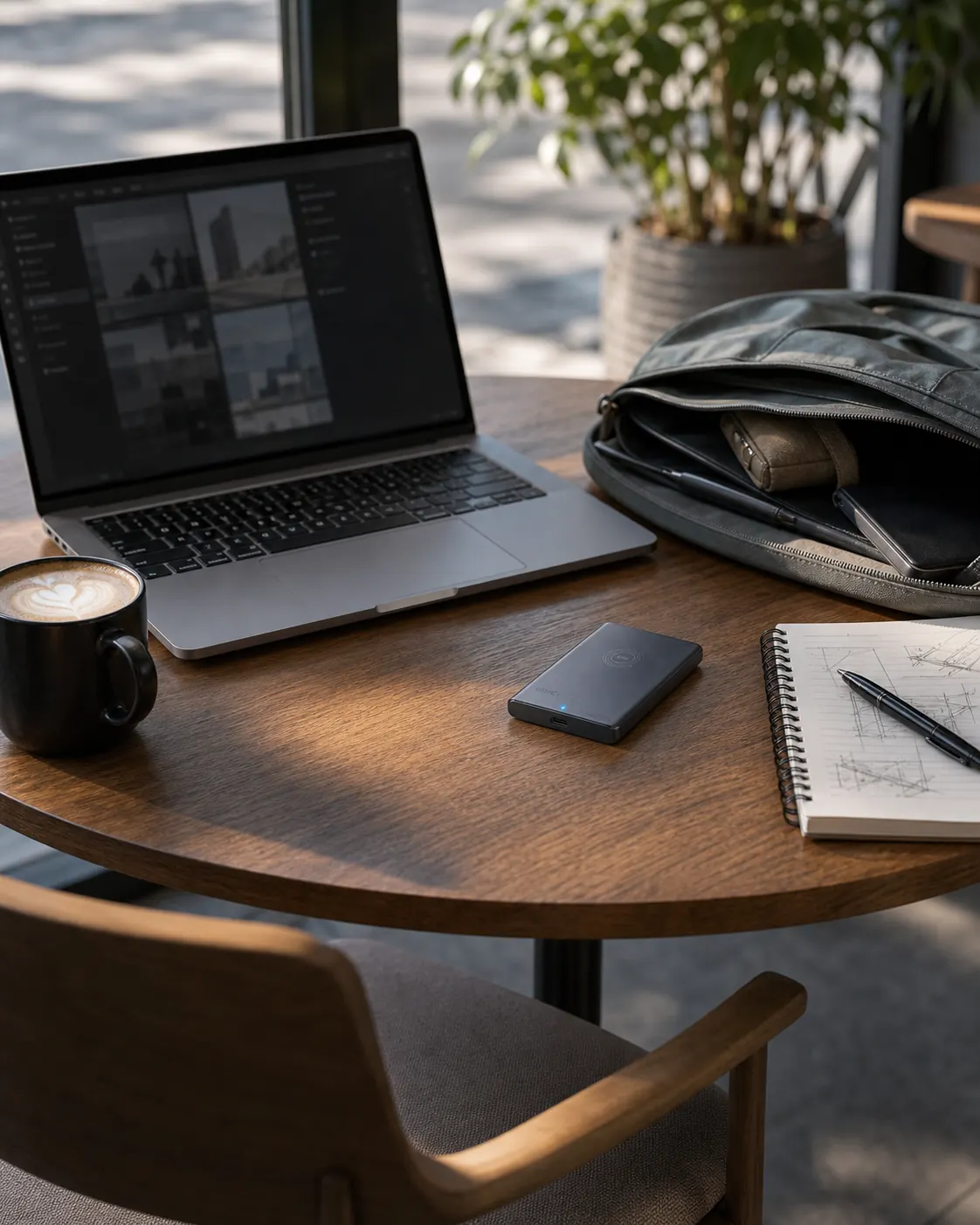
VaultDrive on a cafe desk for everyday secure work VAULTDRIVE DSCC
Scenario 05 · Daily Desk

Your main working drive, secured.

Same plug-and-play experience as any external drive — just with a key that can't be extracted.

VaultDrive secure element and internal electronics VaultDrive · TOP SHELL NAND 512GB NAND 512GB NVMe CTRL SE FIPS 140-3 AES-256 NFC USB-C 3.2 Gen2 BOTTOM CHASSIS · ALUMINUM DEDICATED SECURE ELEMENT
Scenario 06 · Under The Hood

Hardware isolation. Not software theater.

A dedicated FIPS 140-3 Secure Element handles all encryption. The host OS never sees the key — not even in RAM. This is the architectural difference software-encrypted drives can't replicate.

Built to last. Engineered to lock.

Every component chosen for what it won't let happen.
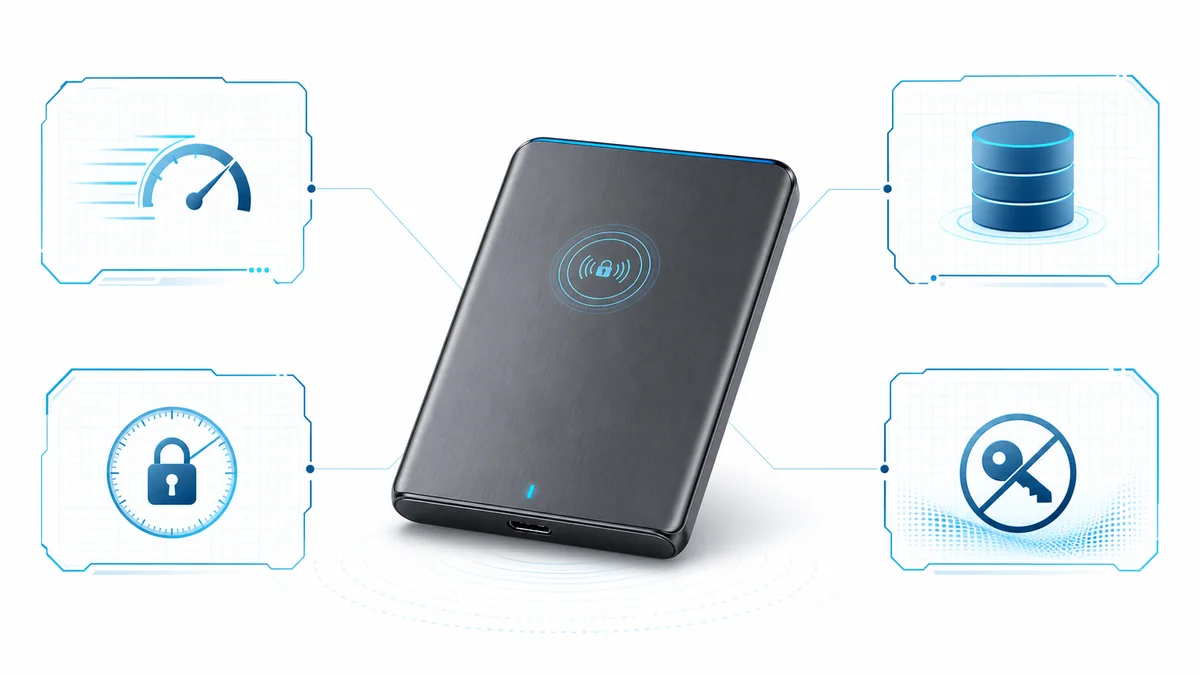
VaultDrive technical hero visual for speed, capacity, unlock time, and zero stored keys
Encryption
AES-256
FIPS 140-3 hardware Secure Element, physically isolated from storage controller.
Capacity
2 TB
NVMe SSD at full USB 3.2 Gen 2 speeds. Up to 1050 MB/s read.
Unlock Time
<2s
From face scan to mounted volume. On-device authentication + NFC transfer + AES init.
Stored Keys
0 bytes
The credential exists only during authentication, used in memory, destroyed on disconnect. Forever.
Storage Type
NVMe M.2 2242 SSD · 3D TLC NAND
Capacity Options
2 TB ($399) · 1 TB ($249)
Interface
USB-C 3.2 Gen 2 · 10 Gbps · Backward compatible USB 3.0/2.0
Read / Write Speed
Up to 1050 MB/s read · 1000 MB/s write
Security Element
Dedicated hardware SE · FIPS 140-3 Level 3 ready
Authentication
NFC · Person-bound AES-256 credential (on-device, offline)
Liveness Detection
Multi-modal · Photo / video / mask spoofing rejection
Mobile App
Facrypt · iOS 15+ · Android 10+
Host OS Support
Windows 10+ · macOS 11+ · Linux (kernel 4.15+) · No drivers required
Dimensions
88 × 58 × 10 mm · 64 g
Chassis
Precision CNC aluminum · Anodized finish · Laser-etched branding
Operating Conditions
0°C to 60°C · 10-90% humidity · 2m drop-tested
Compliance
GDPR · CCPA · HIPAA-ready · FCC · CE · RoHS
In the Box
VaultDrive · USB-C to USB-C cable (0.5m) · USB-C to USB-A adapter · Quick start guide · Recovery phrase card
Warranty
3 years limited · 30-day money back · Lifetime firmware updates

Two dedicated chips. One unique drive ID.

VaultDrive runs an in-house storage controller, an NFC secure element for authentication, and an AES-256 hardware engine for encryption — three independent silicon paths, each cryptographically bound to a per-drive unique ID burned at the factory.

VaultDrive's three-chip security architecture: NFC SE, in-house controller, AES-256 engine NFC SECURE ELEMENT DSCC CTRL-2026 UID: BOUND AES 256-BIT ENGINE LAYER 1 · AUTH LAYER 2 · CONTROLLER LAYER 3 · CIPHER
LAYER 1 · NFC SE
NFC Secure Element
A tamper-resistant chip that handles the phone-to-drive handshake. Receives the person-bound authentication credential over a short-range encrypted channel — and only then signals the controller.
LAYER 2 · CTRL
In-house Storage Controller
A custom DSCC controller that links the NFC SE to the AES engine. Each unit ships with a unique 128-bit UID burned at the factory — clone the silicon, you still can't replicate the binding.
LAYER 3 · AES
AES-256 Hardware Engine
Dedicated cryptographic silicon, FIPS 140-3 Level 3 ready. Encrypts every byte at line rate — the controller never delivers a plaintext block to the NAND. Decryption only happens in this chip's volatile registers.

"Bank-grade" describes the architectural pattern: separation of secure elements + hardware AES + per-device unique ID, the same approach used in EMV payment chips. It does not imply this product carries financial-industry certification.

For people whose data has real consequences.

Not paranoia. Professionalism. When your clients, sources, or data subjects trust you, you need tools that earn that trust.
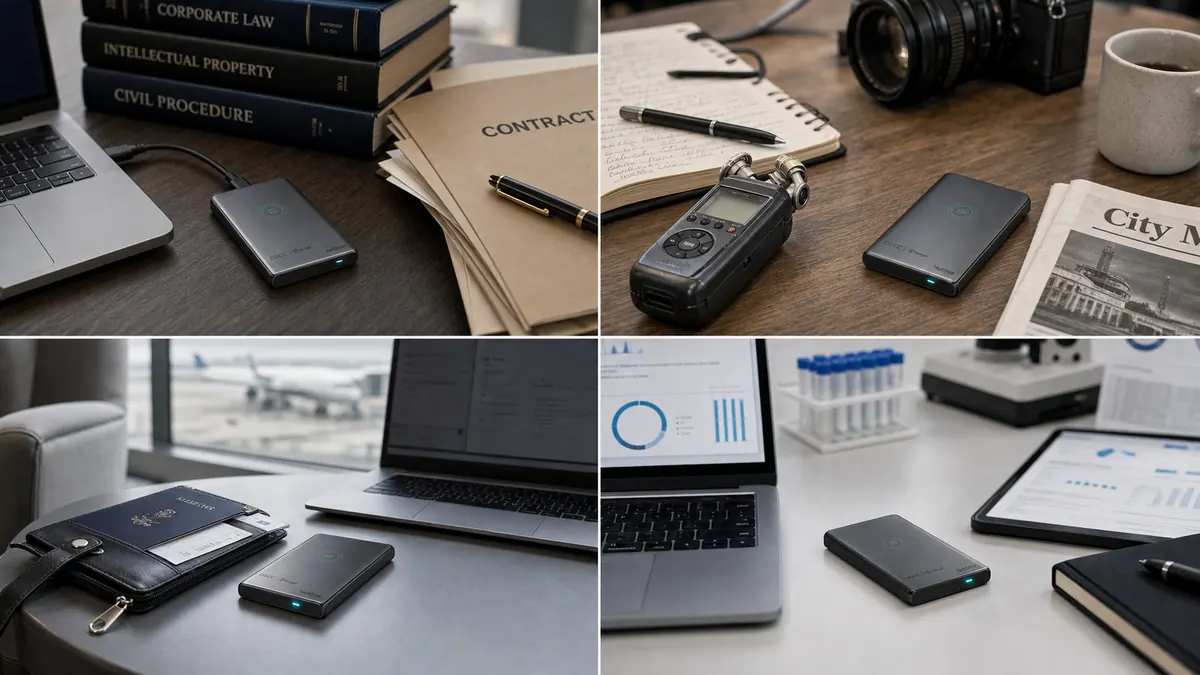
Professional use cases for VaultDrive across legal, journalism, travel, and healthcare contexts
Legal · Finance

Lawyers & Attorneys

Client confidentiality is not a feature you can retrofit after a breach. One stolen laptop with privileged documents ends a career — and a law firm.

Attorney-client privilege protected
Compliant with ABA Model Rule 1.6
Media · Advocacy

Journalists & Activists

Sources put their safety in your hands. A seized drive must reveal nothing — not to customs, not to police, not to adversarial governments.

Border-crossing safe
Plausible deniability by design
M&A · Executive

Business Travelers

You carry term sheets across borders. Deal-critical data on planes, in hotels, through security. If anyone seizes your drive, they should find nothing that matters.

No custody-of-key risk
Works globally without config
Healthcare · Research

Clinicians & Researchers

Patient records, genomic data, clinical trial files. HIPAA fines reach $1.9M per violation — and that's before the lawsuits. VaultDrive is architecturally compliant.

HIPAA Safe Harbor ready
Zero biometric template storage

Not every data loss makes headlines.

Most happen quietly — to freelancers, parents, students, and small teams. A misplaced bag, a shared computer, a forgotten drive. These are the moments VaultDrive was made for.

Freelancer cafe desk with VaultDrive beside a laptop bag

I stepped away from my table at the café for thirty seconds. My laptop bag held three months of client work, signed NDAs, and unreleased mockups.

Designer · Consultant · Copywriter

If the bag is gone, only the shell matters. The work stays locked to your face.
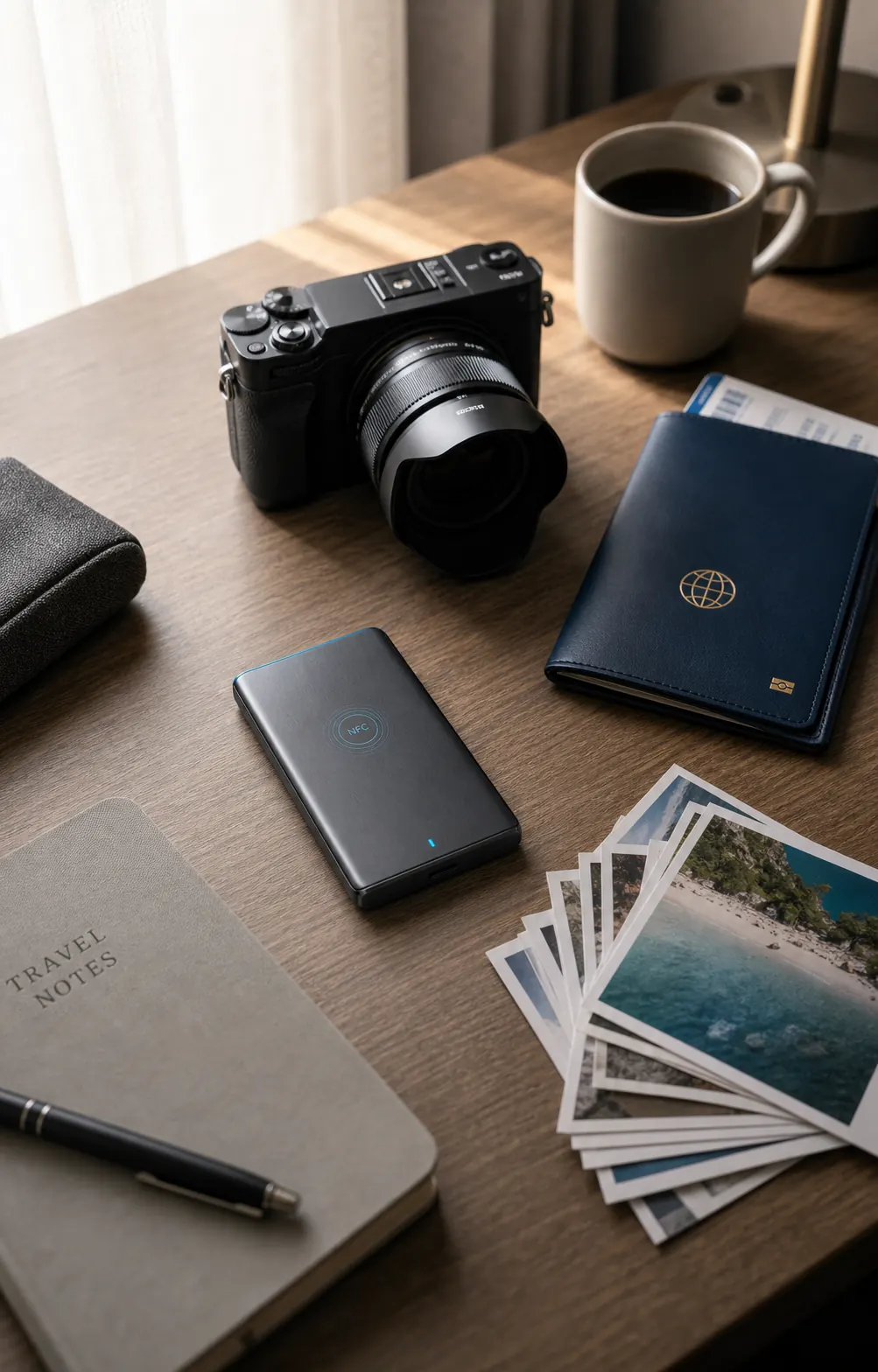
Travel desk with VaultDrive, camera, passport sleeve, and photo backups

Kids' photos, passport scans, a decade of travel memories. The stuff I can't replace, carried through airports and hotel rooms.

Parent · Traveler · Archivist

Hotel safes get forgotten. Bags get lost. VaultDrive stays sealed — unless you're the one holding it.

Sources trusted me with their voices. Unpublished interviews, contact lists, draft pieces — none of this belongs only to me.

Journalist · Blogger · Podcaster

Protecting sources isn't paranoia — it's the job. VaultDrive makes that protection architectural.

Shared lab computers. Borrowed library machines. Cafeteria Wi-Fi. I never know who sits down next at the terminal I just left.

Graduate Student · Researcher · DIY Scientist

Three years of thesis data shouldn't be copyable by the next person at the desk.

Customer lists. Tax records for the past seven years. Supplier contracts. All on a drive that rides in my laptop bag every single day.

Founder · Accountant · Solo Operator

If the laptop walks away, the business doesn't walk with it.

My home office isn't just mine. Kids pass through, guests use the Wi-Fi, the repair person needs access to the breaker box behind my desk.

Remote Worker · Hybrid Employee · Work-from-Home

A laptop password is a polite request. VaultDrive is a mathematical one.

Questions, answered.

Eight real questions from security professionals who tested VaultDrive.

Without your face, the drive is inert. Anyone who plugs it in sees an unrecognized device — no filesystem, no data, nothing recoverable. The encryption key only exists at the moment of authentication. There is no backdoor, no master key, no customer-service recovery.
Authentication runs entirely on your phone, on-device and offline. The unlock credential is bound to you personally (person-bound) and exists only in RAM for the moment of authentication. No facial image, template, or biometric data is ever stored — on your phone, on our servers, or on the drive.
No. VaultDrive uses multi-modal liveness detection to verify that a real, three-dimensional face is present. Photos, videos, and masks are rejected. The same anti-spoofing technology used by banking apps (FIDO Biometric Certified Level 2) protects VaultDrive.
VaultDrive's biometric algorithm tolerates natural variation over time — weight changes, aging, facial hair. For major changes, you can re-enroll by authenticating with your backup recovery phrase, generated at setup. This recovery phrase is the only fallback — we cannot reset your drive remotely.
Yes, on all of them — with zero drivers or software required. Once unlocked via NFC, it appears as a standard USB-C 3.2 Gen 2 external SSD. The Facrypt app for unlocking supports iOS 15+ and Android 10+.
Software encryption stores the key somewhere — in the OS, on a chip, or derived from a password that can be guessed or coerced. VaultDrive's unlock credential requires your live, in-person authentication and is destroyed on disconnect. There is nothing stored to extract, nothing to crack, and nothing to coerce out of you.
In most jurisdictions, you cannot be compelled to provide a key that doesn't exist. Since VaultDrive's key only exists during active authentication — and is destroyed on disconnect — border agents have nothing to demand access to. Always consult local counsel for your specific travel route.
Revoke your face enrollment in the Facrypt app. All data becomes permanently sealed — not even you can access it again. No factory reset or secure erase is needed, because the encryption key is mathematically unreachable without your original biometric enrollment.
Also from DSCC

Replace every password
in your enterprise.

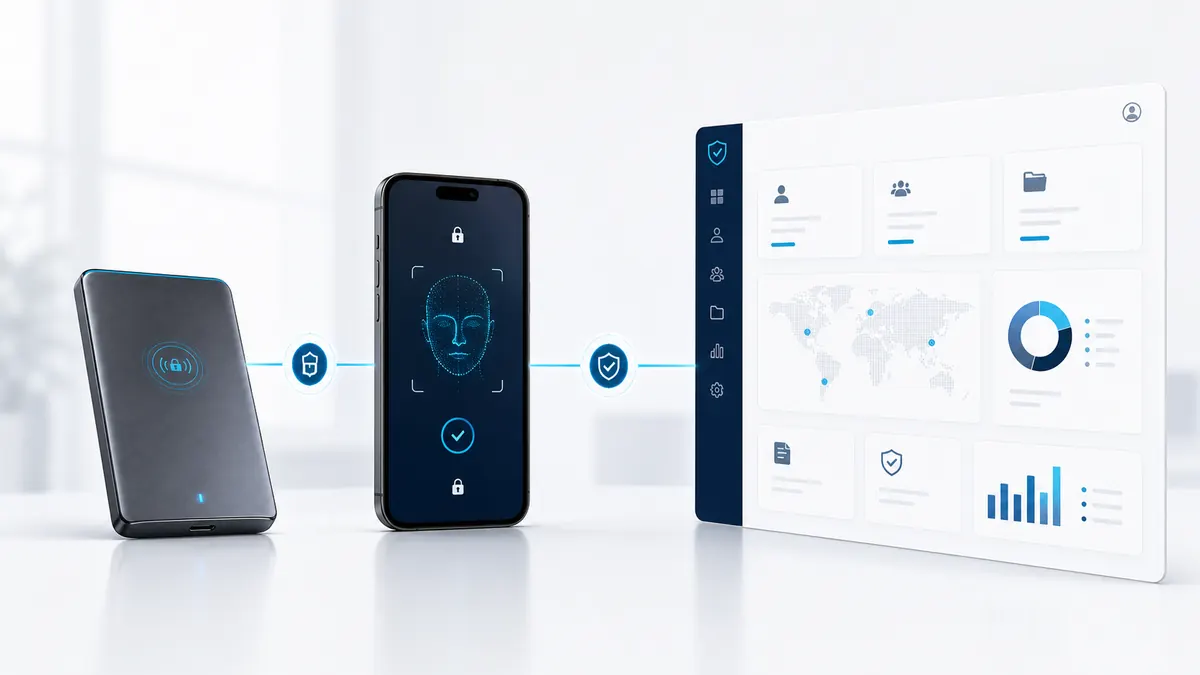
FacePass is the enterprise counterpart to VaultDrive — the same zero-storage biometric architecture, scaled to replace passwords, tokens, and OTPs across your organization.
SAML 2.0 · OIDC · SCIM out of the box
Zero biometric database to breach
Integrates with Okta, Azure AD, Keycloak
Deploy on-premises or air-gapped
VaultDrive and FacePass connected through a secure enterprise identity workflow
2TB · $399 · $70 less than Samsung T7

Premium SSD.
Privacy built in.

2 TB of NVMe storage. 1050 MB/s. CNC aluminum chassis. AES-256 hardware encryption with NFC unlock. Everything Samsung T7 has — for less. Plus everything it doesn't.
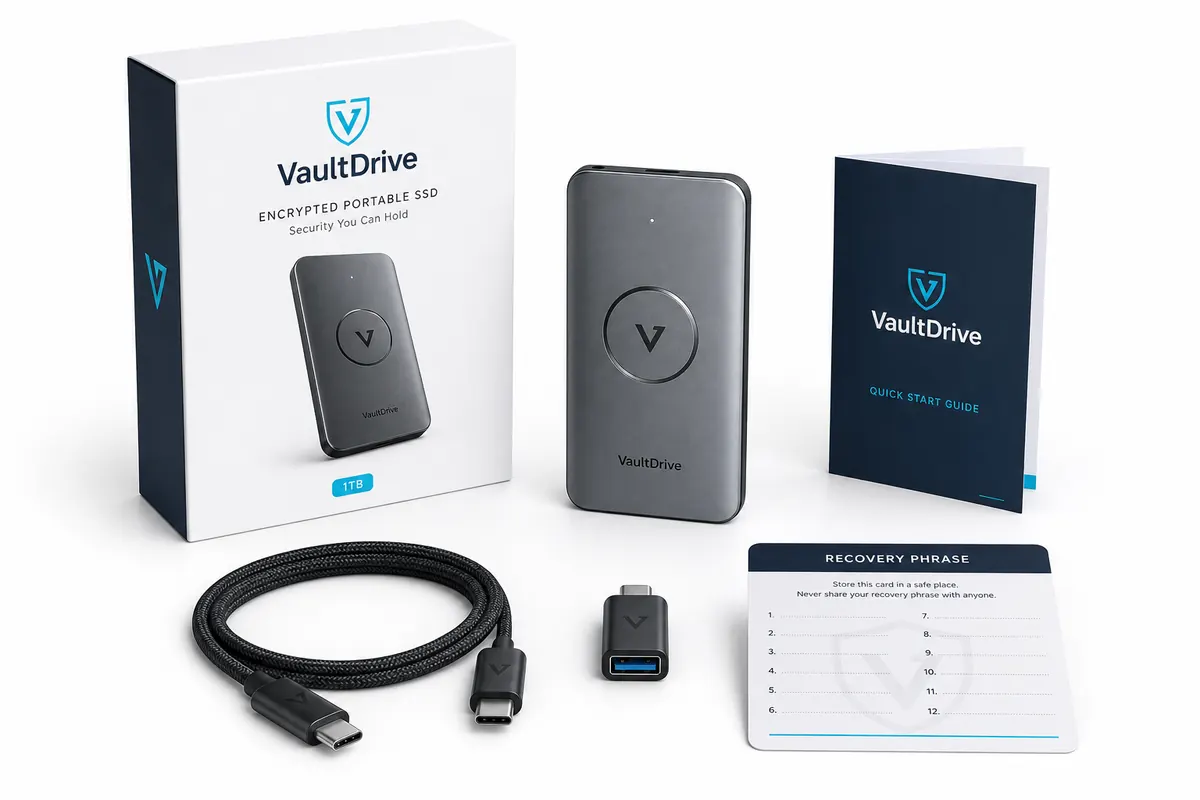
VaultDrive preorder kit with SSD, USB-C cable, adapter, quick start guide, and recovery phrase card
First batch — limited release 412 of 500 remaining
30-day money back
3-year warranty
Ships worldwide free
Lifetime firmware updates